
iOS 26: Apple’s Stunning 2026 Update Is Here to Wow You
Okay, friends, buckle up—Apple’s WWDC 2026 just dropped a bombshell, and I’m totally geeking out.
Say hello to iOS 26, a massive iPhone update that’s got a jaw-dropping “Liquid Glass” look and some seriously cool features.
Forget iOS 19—Apple’s skipped straight to iOS 26, and it’s not just a random number change.
This update’s got a futuristic vibe, smarter apps, and enough wow-factor to make your iPhone feel like a shiny new toy.
Thanks to the scoop from Economic Times, let’s dive into what’s new, which iPhones can run it, and why Apple ditched the old naming scheme.
What’s the Big Deal with iOS 26?
Apple’s calling iOS 26 their boldest update since iOS 7, and I can see why. It’s not just a tweak here or there—it’s a whole new vibe.
The Liquid Glass design makes your iPhone’s interface look like it’s made of sleek, translucent glass that shifts and sparkles as you move.
Plus, there are smarter apps, new AI tricks, and a naming change that’s got everyone talking.
It’s rolling out in fall 2026, but you can get a sneak peek with the developer beta now or the public beta next month. Here’s the juicy stuff you need to know.
Liquid Glass: A Design That’s Straight-Up Magic
Imagine your iPhone’s home screen looking like a piece of futuristic glass art. That’s Liquid Glass.
It’s a translucent, almost 3D look inspired by the Vision Pro’s visionOS, where app icons, widgets, and buttons seem to float and reflect light based on your wallpaper.
Scroll through an app, and the tab bar shrinks to give you more screen space; scroll back up, and it pops out like it’s alive.
It’s not just pretty—Apple’s rolled this design out across iOS 26, iPadOS 26, macOS Tahoe 26, watchOS 26, and tvOS 26 for a unified look that feels seamless across devices.
Smarter Apps That Make Life Easier
Your go-to apps are getting a glow-up. The Photos app brings back tabbed navigation (yay!) with Library and Collections tabs, so finding that one vacation pic is a breeze.
The Camera app’s been streamlined—fewer buttons cluttering your view, so you can focus on nailing the shot.
Safari’s got a floating tab bar that stays out of your way, letting webpages take center stage.
And the lock screen?
You can stretch the clock to fill it or add 3D spatial wallpapers that shift when you tilt your phone.
It’s like your iPhone’s putting on a little show every time you unlock it.
Phone and Messages: Your New Best Friends
The Phone app’s getting its biggest update in forever. It’s now a one-stop shop for favorites, recent calls, and voicemails—no more jumping between tabs.
A new Call Screening feature asks unknown callers who they are and why they’re bugging you, helping you dodge spam calls like a ninja.
Hold Assist is a game-changer too—it mutes annoying hold music and pings you when someone picks up.
Over in Messages, you can jazz up chats with custom backgrounds or Liquid Glass effects, and group chats now have polls to settle debates like “Where we eating tonight?” without endless scrolling.
Apple Intelligence: AI That Actually Helps
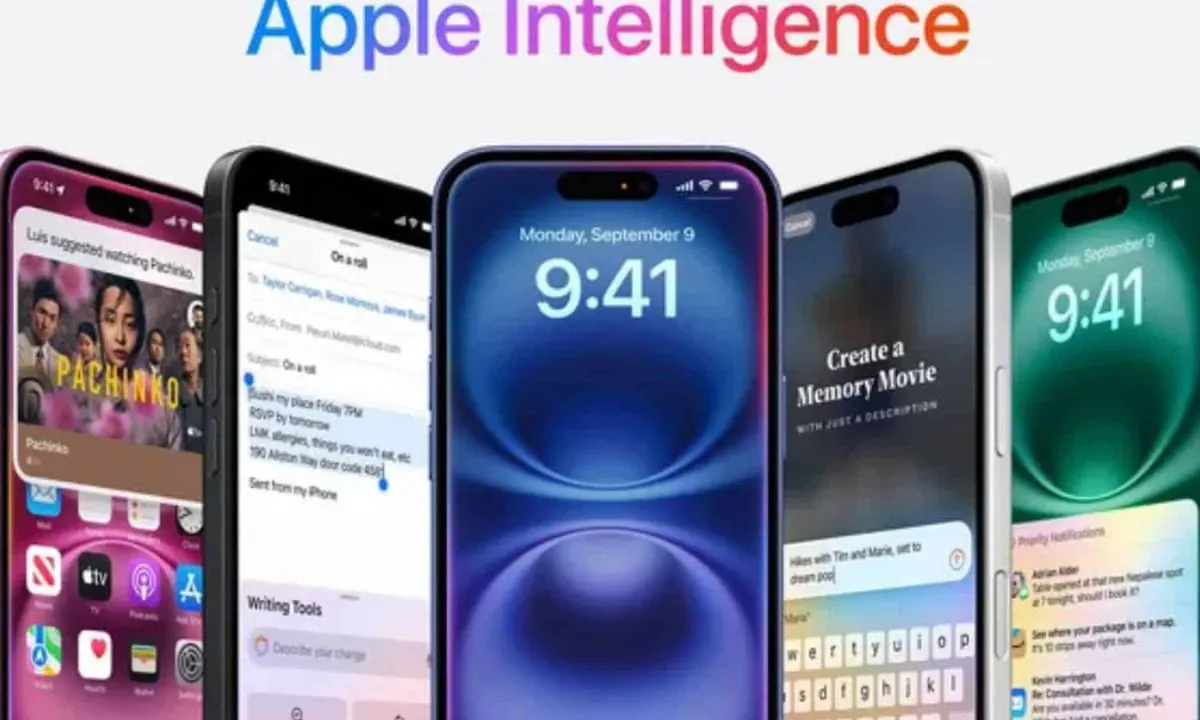
Apple’s leaning hard into AI with iOS 26’s Apple Intelligence features.
Live Translation works in Phone, Messages, and FaceTime, turning foreign languages into text or speech on the fly—perfect for chatting with your cousin in Spain.
Visual Intelligence lets you point your camera at, say, a concert flyer and instantly add the event to your calendar.
And for fun, Genmoji and Image Playground let you create custom emojis or images by mixing text and visuals.
Developers can tap into these AI tools too, so expect some wild third-party apps soon.
Battery Smarts That Save the Day
Battery life’s always a hot topic, and iOS 26’s got your back.
The Battery section in Settings now shows a real-time charge readout, plus a weekly view of how apps are eating up power.
It’ll tell you if an app’s been hogging the battery with notifications or background activity, so you can rein it in.
There’s also an Adaptive Power Mode that tweaks performance to stretch your charge. The Battery Health section still shows charge cycles and max capacity, so you know exactly how your iPhone’s holding up.
Why Skip to iOS 26?
You’re probably wondering, “What happened to iOS 19?” Apple’s shaking things up by naming their operating systems after the year they’re used most—2026 in this case.
So, instead of iOS 19, we get iOS 26, and it’s the same deal for iPadOS 26, macOS Tahoe 26, and the rest.
It’s a way to keep things consistent across Apple’s ecosystem and avoid the confusion of mismatched version numbers like iOS 19 and watchOS 12.
Plus, it’s got a cool, futuristic ring to it, don’t you think?
Which iPhones Can Run iOS 26?
Not every iPhone’s invited to the iOS 26 party. You’ll need an A13 Bionic chip or later, which means iPhone 11 and newer models are good to go. Here’s the full list of supported devices:
- iPhone 16, 16 Plus, 16 Pro, 16 Pro Max
- iPhone 15, 15 Plus, 15 Pro, 15 Pro Max
- iPhone 14, 14 Plus, 14 Pro, 14 Pro Max
- iPhone 13, 13 mini, 13 Pro, 13 Pro Max
- iPhone 12, 12 mini, 12 Pro, 12 Pro Max
- iPhone 11, 11 Pro, 11 Pro Max
- iPhone SE (2nd and 3rd generation)
Sorry, iPhone XR, XS, and XS Max—you’re stuck on iOS 18. The A12 Bionic chip can’t handle iOS 26’s fancy AI and graphics, so it’s time to upgrade if you want in.
Comparison Table: iOS 26 vs. iOS 18
| Feature | iOS 26 | iOS 18 |
|---|---|---|
| Design | Liquid Glass, translucent UI | Flat, minimalist UI |
| Phone App | Unified layout, Call Screening | Basic layout, no screening |
| Messages | Polls, custom backgrounds | Basic chat, no polls |
| Battery | Real-time analytics, Adaptive Power Mode | Basic battery stats |
| AI Features | Live Translation, Visual Intelligence | Basic AI (Genmoji, writing tools) |
| Supported Devices | iPhone 11 and newer (A13+) | iPhone XR and newer (A12+) |
How to Get Ready for iOS 26?
Wanna jump on the iOS 26 train? Here’s the plan:
- Check Your iPhone: Make sure it’s an iPhone 11 or newer—anything older won’t cut it.
- Back It Up: Save your data to iCloud or your computer before trying any betas, just in case things go sideways.
- Join the Beta: Developers can grab the beta now at developer.apple.com; everyone else can try the public beta next month at beta.apple.com.
- Stay in the Loop: Follow sites like Economic Times or check X for the latest on features and release dates.
FAQs
When’s iOS 26 coming out?
The developer beta’s out now, public beta hits July 2025, and the full release drops in September after the iPhone 17 launch.
Why did Apple skip iOS 19?
They’re naming OS updates after the year they’re used most—2026—so iOS 26 aligns with iPadOS 26, macOS Tahoe 26, and more.

IconicTechs Is A Problem-Solving Community Where We Provide Top-notch solutions to your Tech Problem.