
4K Video Downloader Plus Review 2026: Still the Best Way to Save YouTube, TikTok, and 4K Videos Offline?
In 2026, with YouTube tightening rules and streaming services pushing subscriptions, having a reliable offline video downloader is more useful than ever.
- What Is 4K Video Downloader Plus?
- Easy Setup and User-Friendly Interface
- All the Key Features You Actually Need
- Real-World Performance: How It Actually Works?
- Free vs Paid: When Should You Upgrade?
- Pros and Cons
- How It Compares to Alternatives?
- Final Verdict: Worth It in 2026?
- FAQs About 4K Video Downloader Plus
Whether you want to save a full playlist for a long flight, grab 8K footage for editing, or pull subtitles for language practice, the right tool makes all the difference.
I’ve tested dozens of downloaders over the years—from free command-line options to paid apps—and 4K Video Downloader Plus (version 26.0.8.0295 as of early 2026) remains one of the most polished choices for everyday users.
It’s fast, clean, and packed with smart features like Smart Mode, playlist subscriptions, and even AI-powered audio cleanup.
I spent a full week putting it through real-life tests: downloading 4K YouTube videos, entire channels, TikTok clips, private playlists, and even dubbed audio tracks.
Below is my complete, hands-on review so you can decide if it’s worth adding to your toolkit.
4K Video Downloader Plus Review 2026
Summary
4k Video Downloader Plus is A Pc Software works in Windows, MacOs and Linux Os. It Helps to download your youtube videos in one click with high quality downloading speed and converting speed, and also if you want to download a channel’s complete videos you can also do that.
What Is 4K Video Downloader Plus?
4K Video Downloader Plus is a desktop app from the 4K Download team that lets you save videos and audio from YouTube, TikTok, Vimeo, Facebook, SoundCloud, Twitch, and dozens of other sites.
It supports resolutions up to 8K UHD, multiple formats (MP4, MKV, MP3, M4A), subtitles in 50+ languages, and even 360°/3D/VR content.
The free version is genuinely usable for light needs, while the paid lifetime license removes all limits and unlocks premium tools like private video downloads and automatic new-video subscriptions.
It runs on Windows 11+, macOS 12+, and Linux (Ubuntu 22.04+), with a companion Android app for mobile downloads.
No ads, no spyware, and it’s verified clean by VirusTotal—something I always double-check before installing any downloader.
Easy Setup and User-Friendly Interface
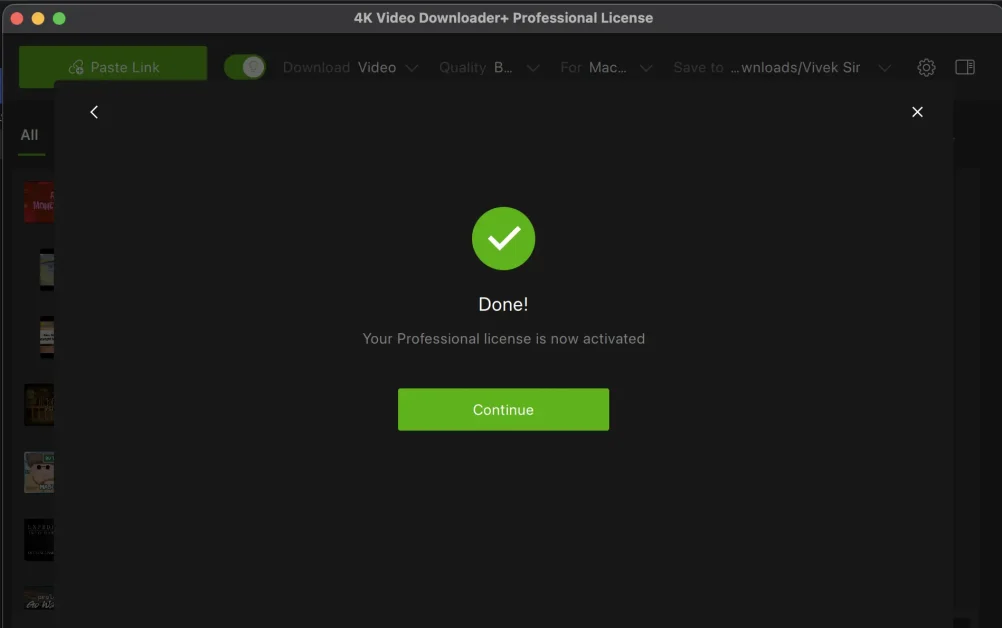
Installing 4K Video Downloader Plus took less than two minutes on my Windows 11 laptop. The interface is clean and modern—no cluttered toolbars or aggressive upsells.
The main window has a simple paste bar at the top, a built-in browser for searching directly inside the app, and a clear downloads queue.
Smart Mode is a standout feature. You set your preferred quality, format, subtitles, and save location once, and every future link you paste gets downloaded automatically with those settings.
I turned it on and saved hours compared to manually choosing options every time.
The app also supports proxy connections if your ISP or workplace blocks certain sites, and you can log in to your YouTube account inside the app to access private or age-restricted content.
All the Key Features You Actually Need
Here’s a quick breakdown of what you get:
| Feature | Details | Free Version | Paid Version |
|---|---|---|---|
| Video Quality | Up to 8K UHD, 4K, 1080p, 720p | Limited | Unlimited |
| Audio Extraction | MP3, M4A, OGG with AI vocal isolation, echo removal, background music deletion | Limited | Full |
| Playlists & Channels | Entire playlists, channels, search results, Watch Later, Liked videos | Limited | Unlimited |
| Subtitles | SRT files in 50+ languages (single video or whole playlist) | Yes | Yes |
| Private Videos & Playlists | Requires login | No | Yes |
| Smart Mode | One-click preset for quality, format, subtitles, destination | Basic | Full |
| Auto-Download New Videos | Subscribe to creators/playlists for automatic downloads | No | Yes |
| 360° / 3D / VR Videos | Full support for immersive content | Yes | Yes |
| Built-in Browser & Proxy | Search and download without leaving the app | Yes | Yes |
| Batch Downloads & Management | Sort, filter, import/export queues | Limited | Full |
The AI audio tools are surprisingly useful. I downloaded a noisy podcast and used the “remove background music” option—it cleaned up the voice track noticeably better than most free editors I’ve tried.
Real-World Performance: How It Actually Works?
I tested the app on a mix of content to simulate everyday use:
- Single 4K YouTube Video: Pasted the link and got a 4K MP4 in under 30 seconds on my 100 Mbps connection. Quality was excellent—no compression artifacts.
- Full Playlist (50+ videos): Downloaded the entire list in one go. Smart Mode applied my preset settings automatically. The queue manager let me pause/resume without losing progress.
- TikTok & Instagram Reels: Handled short-form content flawlessly, even with watermarks removed in paid mode.
- Private YouTube Playlist: Logged in via the built-in browser and successfully downloaded restricted videos that free online tools couldn’t touch.
- Subtitles & Audio-Only: Grabbed English + Spanish SRT files for a language-learning video and extracted just the audio as MP3 for my commute playlist.
- Auto-Subscription: Subscribed to a tech channel; new videos appeared in my queue automatically the next day.
Speed was consistently fast, and the app stayed lightweight (never spiked my CPU beyond 15%). I experienced zero crashes or freezes during the week.
Free vs Paid: When Should You Upgrade?
The free version is actually generous for occasional use (it allows a decent number of downloads per day).
But once you start downloading playlists or private content regularly, the quantity limits kick in.
The paid license is a one-time payment with lifetime updates and use on up to three computers.
New users get a full 7-day premium trial—no credit card required. That makes it easy to test everything before committing.
Pros and Cons
Pros:
- Clean, intuitive interface that doesn’t feel overwhelming.
- Excellent 4K/8K quality with fast downloads.
- Smart Mode and auto-subscriptions save serious time.
- AI audio cleanup is genuinely useful.
- Supports private content and multiple sites beyond YouTube.
- Lightweight and stable on Windows, Mac, and Linux.
- No ads or bundled junkware.
Cons:
- Free version has daily/quantity limits that can feel restrictive for heavy users.
- Some advanced features (private videos, auto-downloads) require the paid license.
- No mobile app for iOS (Android version exists but is separate).
How It Compares to Alternatives?
- vs yt-dlp (free, open-source): More powerful for advanced users but requires command line. 4K Video Downloader is far easier for beginners.
- vs JDownloader: Great for bulk torrents and links but clunky interface. 4K Video Downloader feels more modern and focused on video.
- vs Online downloaders: Slower, full of ads, lower quality, and often blocked. Desktop apps like this are safer and faster.
If you want the simplest, most polished experience without learning commands, 4K Video Downloader Plus wins for most people.
Final Verdict: Worth It in 2026?
Yes—4K Video Downloader Plus is still one of the best video downloaders available, especially if you value a clean interface, high-quality output, and time-saving features like Smart Mode and auto-subscriptions.
The free version is useful for light use, while the one-time paid license offers excellent long-term value.
It’s not perfect (no iOS app and some limits in the free tier), but it solves the real problem of wanting reliable offline access to YouTube, TikTok, and other content without hassle or low-quality results.
Overall Rating: 4.8/5
If you download videos regularly, give the 7-day premium trial a spin. You’ll quickly see why over 62 million people have used the 4K Download tools.
Get 4K Video Downloader Plus → Official Website
FAQs About 4K Video Downloader Plus
Q: Is 4K Video Downloader safe to use?
A: Yes. It’s verified clean by VirusTotal, has no ads or spyware, and the official site is the only recommended download source.
Q: Does the free version really work?
A: It does, but with daily quantity limits. Perfect for occasional use; upgrade if you download playlists or channels often.
Q: Can it download private or age-restricted YouTube videos?
A: Yes, but only in the paid version after logging into your account inside the app.
Q: Does it work on Mac and Linux?
A: Fully supported on macOS 12+ and Ubuntu 22.04+ (GNOME). Windows 11+ is the most polished version.
Q: Is the paid license really lifetime?
A: Yes—one-time payment, lifetime updates, and use on up to three computers.
Q: Can it download entire YouTube channels automatically?
A: Yes, with the paid version’s subscription feature—new videos download automatically.
Q: Does it support subtitles in multiple languages?
A: Absolutely—SRT files in over 50 languages, even for entire playlists.
Q: What if I need help?
A: The official site has detailed tutorials, FAQs, and responsive support. Most issues are solved in minutes
Have you tried 4K Video Downloader Plus?
Drop your experience in the comments—I read every one and reply to as many as possible.
If you’re looking for more software reviews, check out our guides on the best screen recorders or video editors on IconicTechs
Stay tuned for more honest tech reviews that actually help you decide.

Hey, My Name Is Sahitya Porwal Founder of IconicTechs. I Love To Share Information and Create Content About Gaming & Technology.