
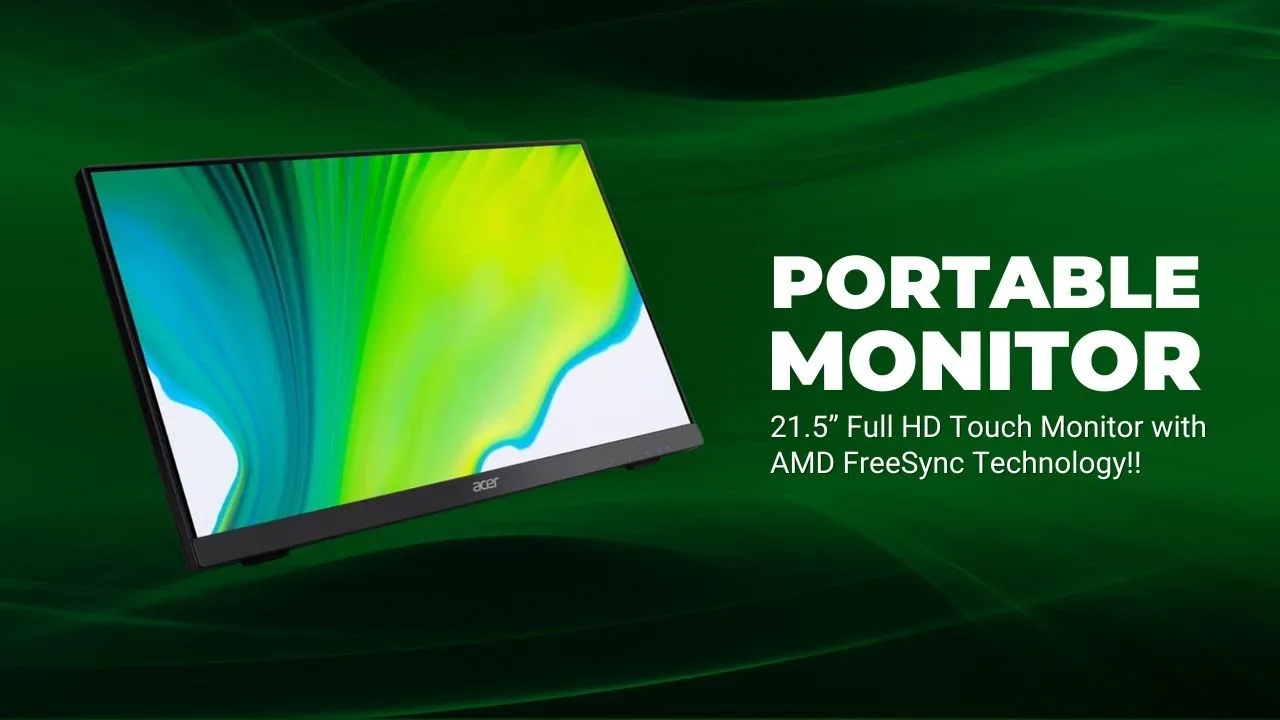
Acer UT222Q Touchscreen Monitor Review: Best Monitor In Thaat Budget?
I’ve been using monitors for over a decade, from basic office displays to high-end gaming screens.
- What Made Me Buy This Monitor?
- Key Features: Touch and Performance in One Package
- Acer UT222Q Touchscreen Monitor: My Experience After Testing
- Real-World Uses I've Discovered
- Comparing Options: Is This the Right Choice?
- Who Should (and Shouldn't) Buy This
- Final Words
- Quick Tips for New Owners
- Common Questions Answered
When I stumbled upon the Acer UT222Q during a sale , I couldn’t resist trying out this touchscreen monitor.
After a month of daily use, here’s everything you need to know.
What Made Me Buy This Monitor?
I needed something different from my usual setup.
My small business was expanding, and I wanted a display that could double as an interactive presentation tool and a regular monitor.
The UT222Q caught my eye because it promised touch functionality without breaking the bank.
The package arrived within a week from Amazon. Inside the box, you’ll find the monitor, necessary cables (HDMI and USB for touch), power cord, and a straightforward setup guide. Nothing fancy, but everything you need.
Key Features: Touch and Performance in One Package
The UT222Q is packed with features that make it stand out in the budget touchscreen monitor category. Here’s what you get:
- 21.5-Inch Full HD IPS Display: 1920 x 1080 resolution with vibrant colors and 178° viewing angles.
- 10-Point Multi-Touch: Responsive touchscreen for navigating Windows 10/11, drawing, or kiosk applications.
- AMD FreeSync: Reduces screen tearing for smoother visuals, ideal for light gaming or video playback.
- 75Hz Refresh Rate: Slightly smoother than standard 60Hz monitors.
- 4ms Response Time: Fast enough for casual use, though not for hardcore gaming.
- Connectivity: HDMI, DisplayPort, VGA, and USB 2.0 (for touch input).
- Eye Care Features: Flickerless, Blue Light Shield, Low Dimming, and ComfyView reduce eye strain.
- 7H Scratch-Resistant Glass: Durable for heavy touch use in public settings.
- Wall-Mountable: VESA-compatible with included brackets.
- Built-In Speakers: Basic audio for convenience, though external speakers are recommended.
Missing features? No HDR support or 4K resolution, but at this price, it’s expected. The speakers are underwhelming for multimedia, so plan to pair with external audio.
Here’s a specs table for quick reference:
| Feature | Details |
|---|---|
| Screen Size | 21.5 inches |
| Resolution | Full HD (1920 x 1080) |
| Panel Type | IPS |
| Touch Technology | 10-point multi-touch |
| Refresh Rate | 75Hz (via HDMI/DisplayPort) |
| Response Time | 4ms |
| Viewing Angles | 178° (horizontal/vertical) |
| Brightness | 250 nits |
| Color Gamut | 72% NTSC, 16.7M colors |
| Connectivity | HDMI, DisplayPort, VGA, USB 2.0 |
| Weight | 6.61 lb (without stand), 7.72 lb (with stand) |
| VESA Mount | 100 x 100mm |
| Power Consumption | 27W (operating), 500mW (standby/off) |
| Warranty | 3 years (India) |
| Price | Rs. 17,899 (as of September 2026) |
Acer UT222Q Touchscreen Monitor: My Experience After Testing
Acer UT222Q Touchscreen Monitor Review

Launched in 2021, it features a 21.5-inch Full HD (1920 x 1080) IPS panel, a 10-point multi-touch display, and AMD FreeSync for smooth visuals.
With a 75Hz refresh rate, 4ms response time, and multiple connectivity options, it’s marketed for retail kiosks, digital menus, and home or office use.
Summary
The Acer UT222Q is a fantastic pick for anyone needing a budget-friendly touchscreen monitor with solid visuals.
At Rs. 18,499, its 10-point touch, IPS panel, and FreeSync make it ideal for kiosks, creative work, or home use.
It solves the problem of clunky, non-interactive displays with a responsive, durable touchscreen. Minor drawbacks like weak speakers and no height adjustment don’t overshadow its value
Build and Appearance
First thing I noticed – this monitor looks more expensive than it actually is. The bezels are practically invisible, giving you more screen and less plastic.
At just under 20 inches wide, it fits perfectly on my cluttered desk.
The stand deserves special mention. You can tilt it anywhere from nearly flat (15°) to almost vertical (70°).
This flexibility is brilliant when you’re using touch controls – no more awkward reaching or straining your wrist.
Though I wish it had height adjustment, the tilt range makes up for it.
One minor annoyance: the glossy screen is a fingerprint magnet. I keep a cleaning cloth nearby because, well, you’re touching it constantly.
The glass feels solid though – after hundreds of taps and swipes, not a single scratch.
Picture Quality That Surprised Me
For a budget touchscreen, the display quality exceeded my expectations. The IPS panel means colors stay consistent whether you’re looking straight on or from the side.
I edit photos occasionally, and while this isn’t a professional color-accurate monitor, it handles everyday tasks beautifully.
Brightness peaks at 250 nits – perfectly fine indoors but struggles near windows on sunny days. Text appears sharp at 1080p resolution, and watching YouTube videos is enjoyable.
No, it’s not 4K, but at 21.5 inches, Full HD looks crisp enough.
The Touch Experience
This is why you’re considering this monitor, right?
The touch response impressed me.
All ten fingers work simultaneously (though I can’t imagine needing all ten). Scrolling through websites feels natural, almost tablet-like.
Zooming in on documents, dragging windows around, signing digital forms – everything responds instantly.
I use Windows 11, and after installing the latest drivers from Acer’s website (important step!), touch gestures work flawlessly.
My kids love drawing on it using Paint 3D, and I’ve started using it for quick sketches during video calls.
A word of warning: some users report touch calibration problems with Windows 11. I avoided this by updating drivers immediately after setup.
Don’t skip this step.
Performance Beyond Touch
The 75Hz refresh rate might not excite gamers, but it makes everyday use noticeably smoother than standard 60Hz monitors.
Scrolling feels fluid, and cursor movement looks cleaner.
AMD FreeSync helps eliminate screen tearing when watching videos or playing casual games.
Speaking of games, I tried some less demanding titles. Minecraft runs beautifully, and strategy games benefit from touch controls.
But with a 4ms response time, competitive shooters aren’t this monitor’s strong suit.
The built-in speakers?
They exist.
That’s about the nicest thing I can say. They’ll do for system sounds or video calls, but grab some external speakers for anything else.

Real-World Uses I’ve Discovered
- Home Office: Excel spreadsheets become oddly satisfying when you can directly tap cells. Presentations feel more engaging when you can annotate on-screen.
- Family Computer: My parents find the touchscreen intuitive – no more “which button do I click?” questions. Kids treat it like a giant tablet.
- Small Business: If you run a shop or restaurant, this works great for customer-facing displays or order systems. The durable glass handles constant use.
- Creative Projects: Not professional-grade, but fun for casual digital art or photo organizing.
Comparing Options: Is This the Right Choice?
I considered the ViewSonic TD2230 (similar price, slightly larger) and the Dell P2418HT (much pricier).
The Acer won because of FreeSync support and better refresh rate at a lower price.
Against non-touch monitors in this price range, you’re obviously paying extra for touch functionality.
If you won’t use touch regularly, save your money and get a standard display with better specs.
Who Should (and Shouldn’t) Buy This
Perfect for:
- Small business owners needing interactive displays
- Families wanting an intuitive shared computer
- Anyone who finds touchscreens more natural than mice
- Casual users who value versatility over specialized features
Skip if you need:
- Color-accurate display for professional photo/video work
- High refresh rates for competitive gaming
- 4K resolution or HDR support
- Powerful built-in audio
Final Words
The Acer UT222Q fills a specific niche brilliantly. At ₹18,499, you’re getting genuine touchscreen functionality that actually works well, paired with a decent IPS display.
Yes, there are compromises – mediocre speakers, no height adjustment, and it’s “only” 1080p. But if you’ve ever wished your monitor was more interactive, this delivers that experience affordably.
For my needs – a mix of work, family use, and occasional creative projects – it’s been fantastic. The touch response alone has changed how I interact with my computer.
Documents feel more tangible, presentations more dynamic, and even mundane tasks somehow feel fresher.
Quick Tips for New Owners
- Update drivers immediately – Don’t rely on Windows automatic detection
- Invest in good speakers – The built-ins are emergency-only quality
- Keep cleaning supplies handy – Fingerprints are inevitable
- Try the tilt positions – Find your perfect angle for touch use
- Wall mounting works great – VESA compatible if desk space is tight
Common Questions Answered
How’s the warranty?
Three years in India, which is reassuring for a touchscreen device.
Any lag with touch?
None that I’ve noticed. Response feels immediate.
Good for drawing?
For casual sketching, yes. Professional artists need something more specialized.
Works with Linux?
Basic touch works, but you might miss somez gesture features.
Power consumption?
Around 27W during use – fairly efficient.

Hey, My Name Is Sahitya Porwal Founder of IconicTechs. I Love To Share Information and Create Content About Gaming & Technology.